
Thank you for agreeing to support your local school in providing valuable work experience to one or more of their students.
In order to meet all obligatory insurance, health & safety, child protection requirements there is some administration to be completed. The PeopleHawk platform provides an efficient paperless solution to help you with this. The following explains the process for you to complete.
WEX Email
You will receive an email from PeopleHawk notifying you of a work experience application. Please look out for these emails and check your junk folder if it has not arrived. We appreciate your timely cooperation in completing these tasks so the opportunity can proceed.
The email will reference the pupil and their school. If your company is offering work experience to multiple students you will receive a separate form for each student. As there may be some unique needs we are unable to group students together unfortunately.
To proceed click the “Complete form” button link within the email. If you wish to delegate the work to someone else in your organisation you can forward the email to them.
You will also receive a weekly reminder email until this is complete.
Initial Information
This is the information provided by the student and will appear like this –
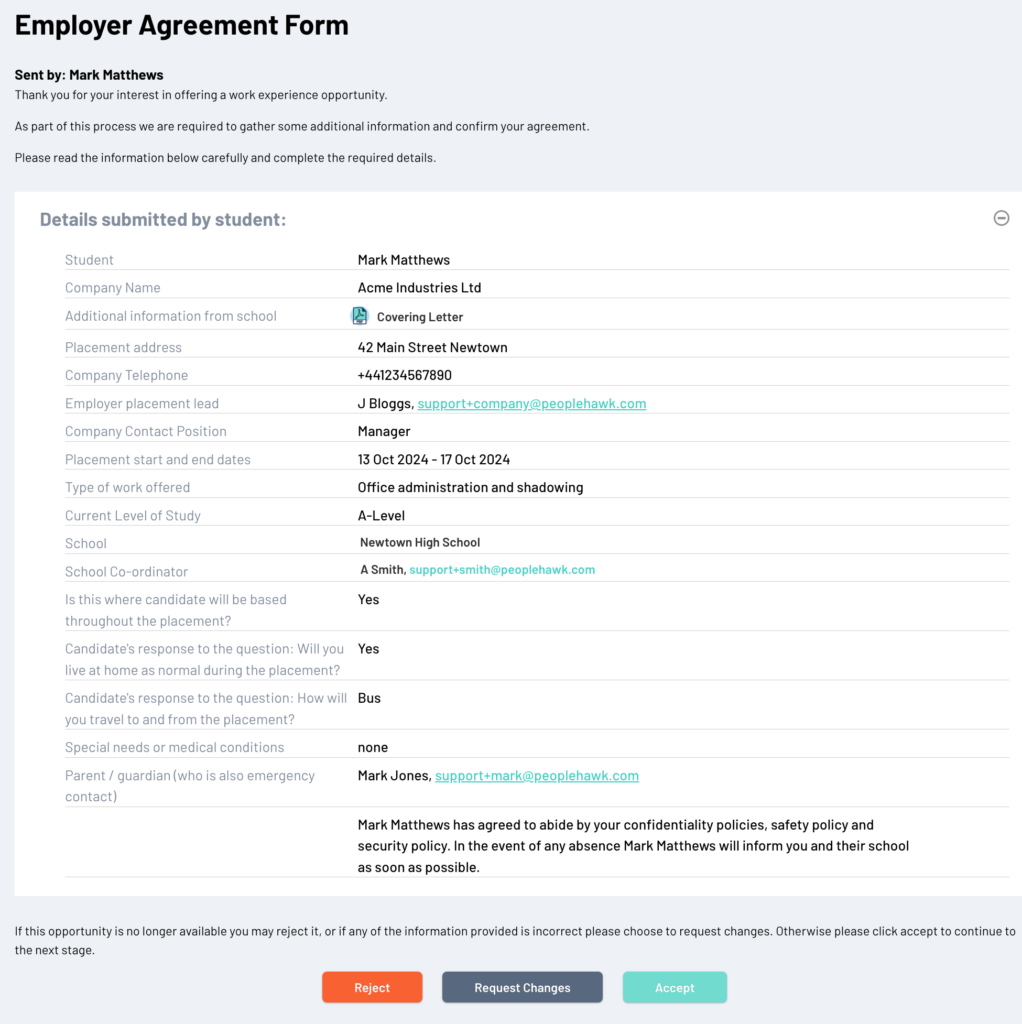
There may be additional information provided by the school such as a covering letter and you should read all attachments.
If you were not expecting this application or are no longer able to offer work experience then click on “Reject”.
If some of the information provided is incorrect then please click on “Request Changes” and provide details on what is to be updated.
Assuming this information is all correct then click on “Accept” to move on to the next stage.
School Work Experience Form
The first section requests various basic details about your company and the work experience opportunity.
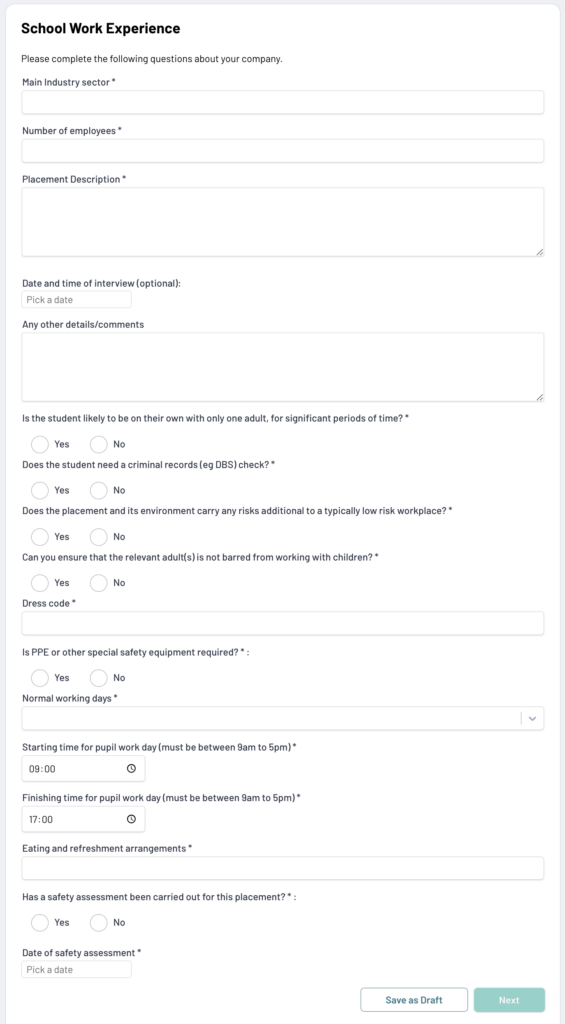
At any stage you can save your responses as a draft should you need to check some of your answers.
Please be sure to answer all questions fully and then click “Next”
Risk Management
In order to protect both you, the student and the school it is important to complete some risk management questions and provide the necessary documentation.
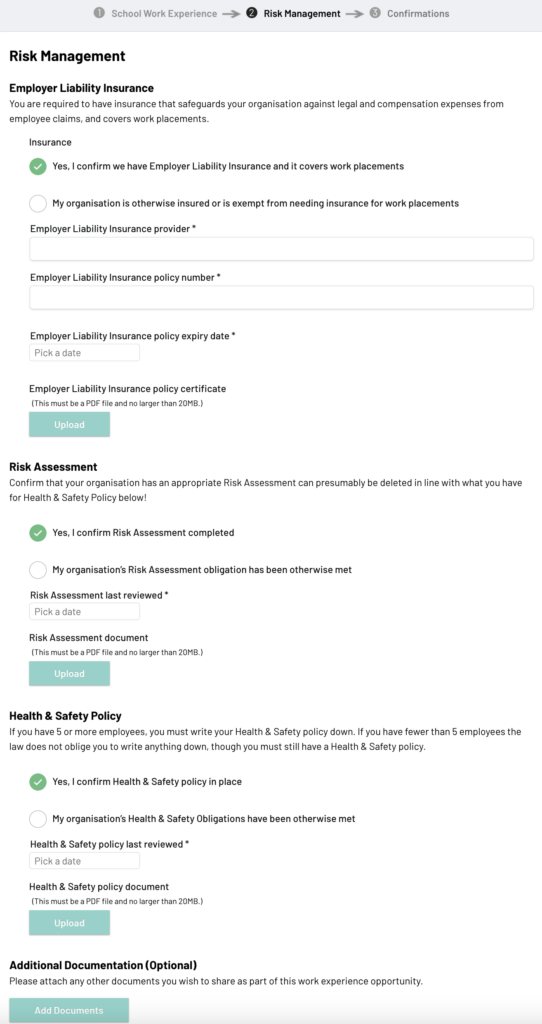
Insurance
For some organisations employer liability insurance does not apply e.g. schools and some other public sector. In which case you can select that your organisation is exempt and provide a reason. Otherwise please provide details of your insurance and upload a PDF of your insurance certificate.
Risk Assessment
A risk assessment should be performed by your organisation prior to any work experience and a copy of this document provided.
Health & Safety
Your organisation’s health & safety policy is also a requirement and a copy of this document should be provided.
Once all necessary documents have been uploaded click “Next” to proceed to the final stage.
Confirmations
There are some legal requirements to ensure child protection and other needs. Please carefully read each of the points and then tick to confirm your agreement.
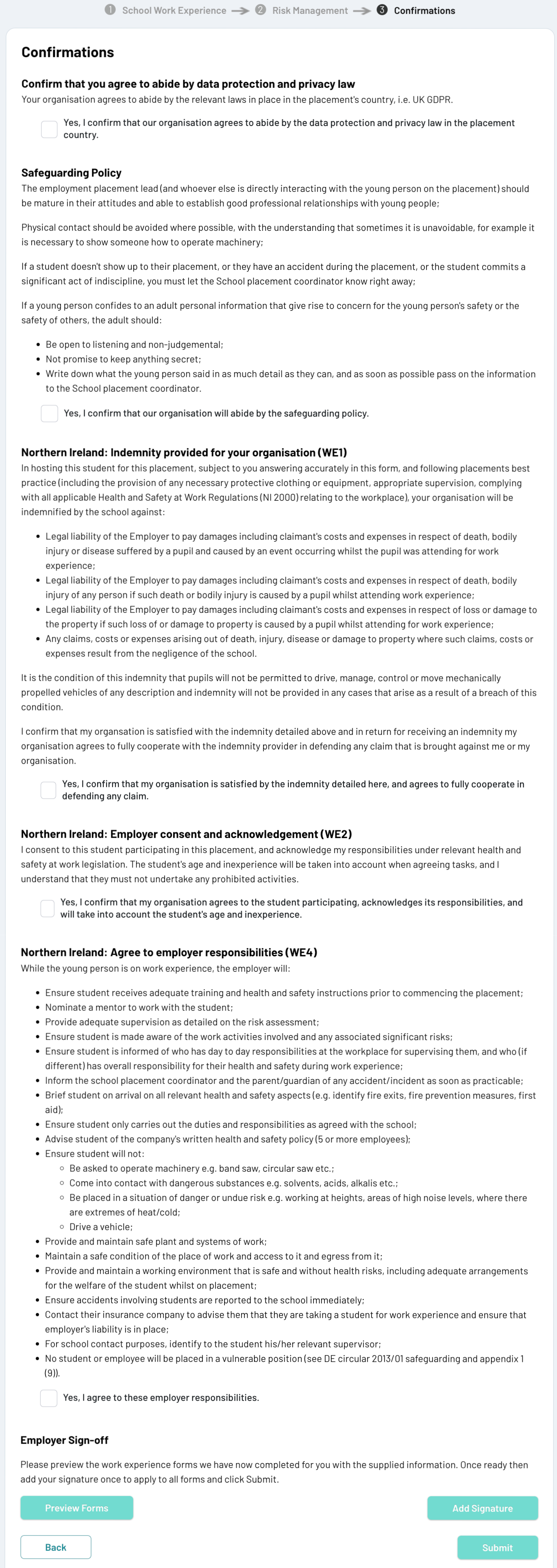
At the bottom you will then be asked to add your electronic signature before submitting. You can either upload your signature image or draw your signature on screen.
Once everything is complete please click on “Submit” to finalise and return to the school.
You will receive an email acknowledging your response and once the application is approved by the school you will receive a further email informing you everything is now in place for the work experience to commence.
Common Issues
Should you have any questions the contact details of the school work placement co-ordinator is provided at the bottom of each screen.