
Work experience provides a valuable insight in to companies and careers your child may be considering.
In order to meet all obligatory insurance, health & safety, child protection requirements there is some administration to be completed. The PeopleHawk platform provides an efficient paperless solution to help you with this. The following explains the process for you to complete.
WEX Email
As a parent/guardian your approval is an important step before your child may attend a work experience opportunity.
You will receive an email from PeopleHawk notifying you of a work experience application. Please look out for these emails and check your junk folder if it has not arrived. We appreciate your timely cooperation in completing these tasks so the opportunity can proceed.
The email will reference your child and the company they are applying to.
To proceed click the “Complete form” button link within the email.
School Work Experience form
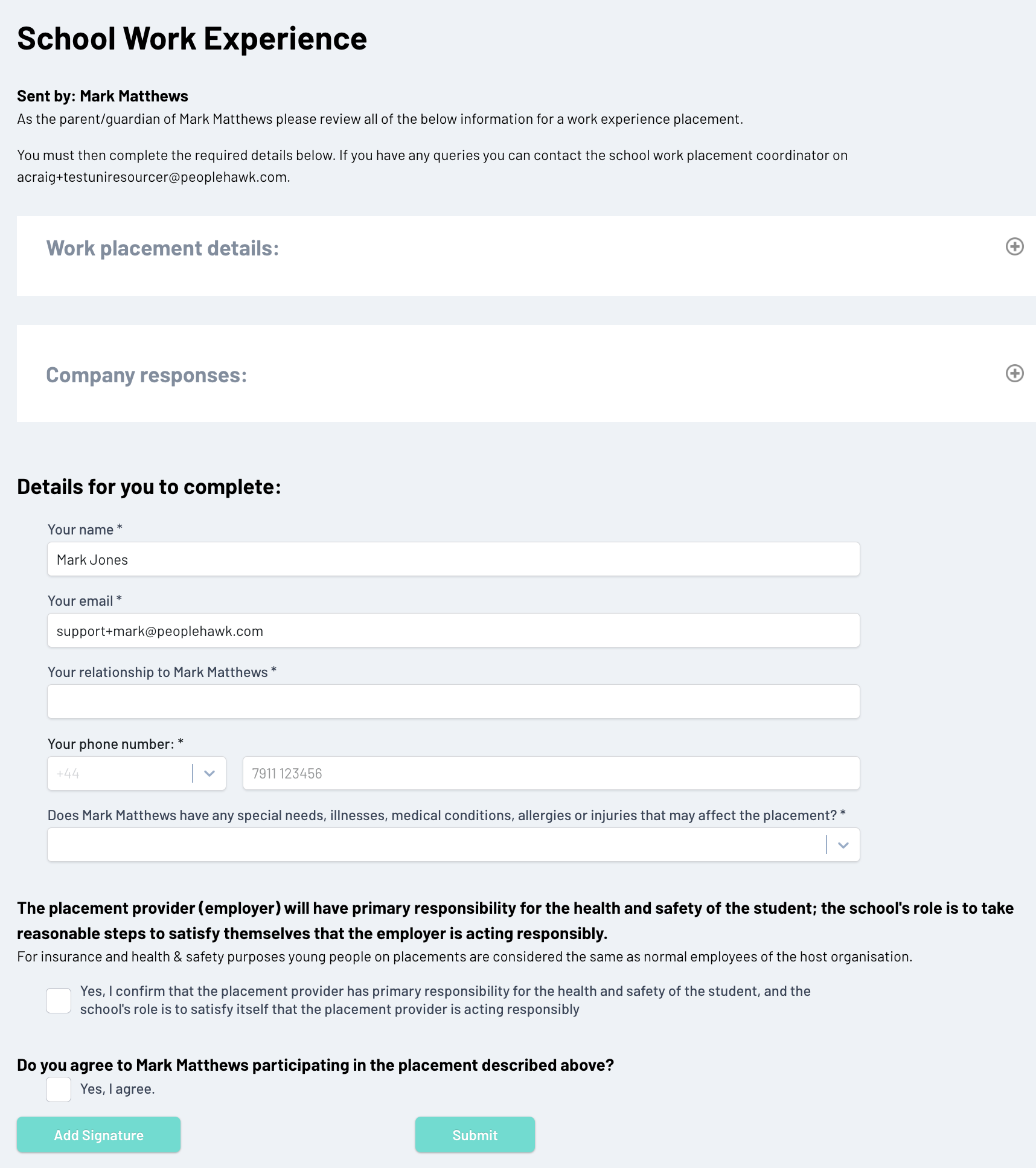
You can now expand the “Work placement details” section and the “Company responses” section to view all of the information around the placement opportunity to ensure you are satisfied and willing to approve the opportunity.
Please complete the form by adding your relationship, phone number and any special needs to highlight and tick to confirm your agreement.
At the bottom you will then be asked to add your electronic signature before submitting. You can either upload your signature image or draw your signature on screen.
Once everything is complete please click on “Submit” to finalise and return to the school.
You will receive an email acknowledging your response and once the application is approved by the school you will receive a further email informing you everything is now in place for the work experience to commence.
Common Issues
Should you have any questions the contact details of the school work placement co-ordinator is provided at the bottom of each screen.