
If you are registering as part of a school, college or other educational organisation then you will have received an organisation code to enter when registering. Alternatively you may have been provided a URL or QR code to use. This ensures your account has access to all the features and there are no additional charges.
Registration link
Click the provided URL link or scan the QR code which will take you to the main registration page.

Enter your name, email address and phone number. Please ensure your email address is correct as you will need it each time to login. It is also worth adding your phone number as a quick way to authenticate and reset your password should you forget it.
Click Continue
Member Types
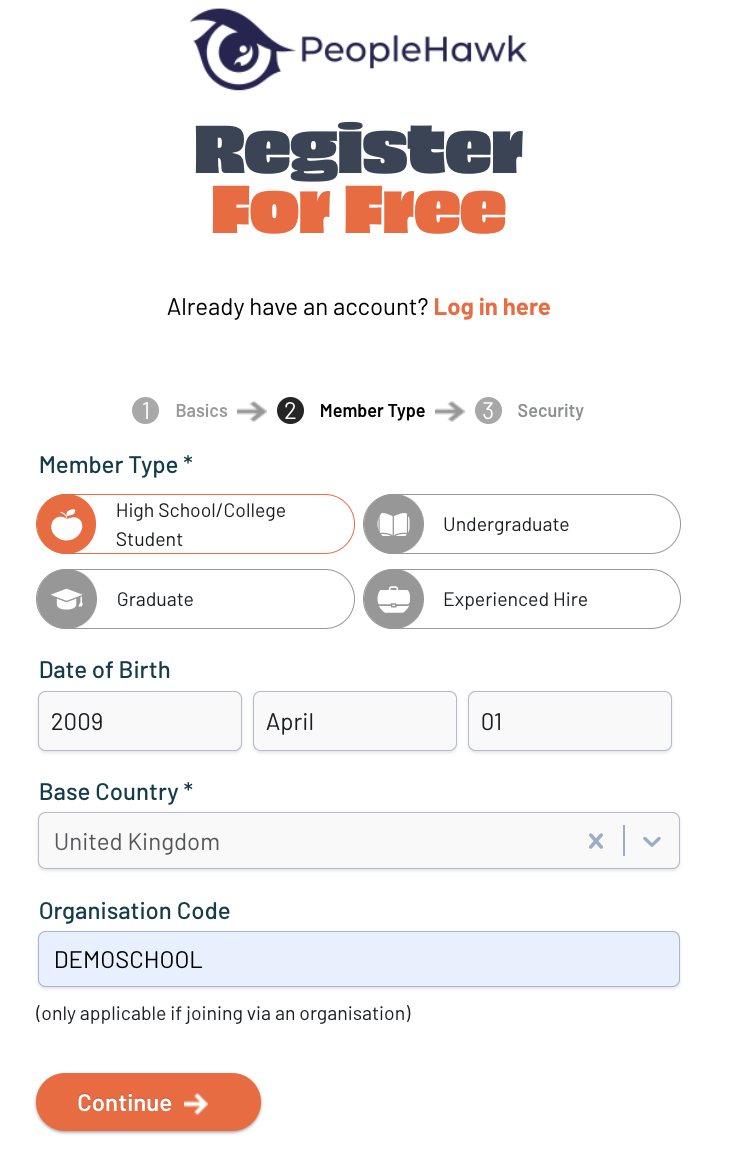
Now select “High School / College Student” as your candidate type and add your date of birth.
Ensure the Organisation Code contains the correct one for your school.
Click Continue.
Security

Choose a secure password to protect your account and review our Ts&Cs.
Click Register to create your account.
Additional Information
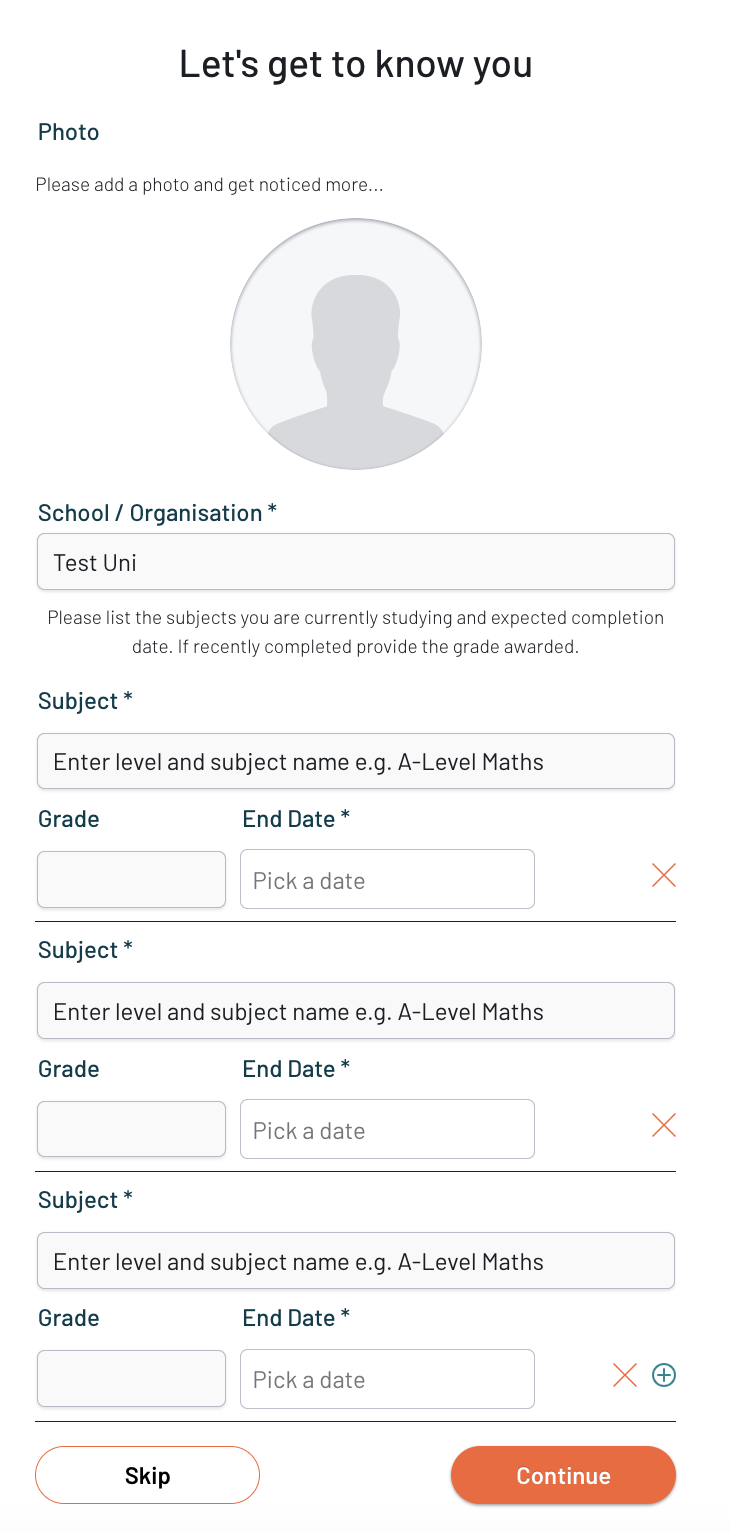
You will then be asked for some additional information to populate your profile.
Adding a headshot photograph will help bring your profile to life and stand out from the crowd.
You can also add any education achievements you may have or if still working towards them then just leave the Grade field blank for now.
Click Continue and you are now ready to start your PeopleHawk EPIC Career!